

Most crypto traders start with just market and limit orders. But if you’re serious about managing risk and locking in profits without staring at your screen 24/7, you need advanced order types. These aren’t fancy extras-they’re essential tools for surviving the wild swings of cryptocurrency markets. Whether you’re holding Bitcoin, trading Ethereum futures, or swinging altcoins, the right order type can mean the difference between protecting your capital and losing it in a flash.
Why Basic Orders Aren’t Enough
Market orders fill instantly but can get you stuck with a terrible price during a flash crash. A $30,000 Bitcoin might drop to $28,000 in seconds, and your market sell order could execute at $27,200-no warning, no control. Limit orders give you price control, but if the market never hits your price, you’re stuck watching your position bleed out. That’s where advanced orders come in. They let you set rules ahead of time. You don’t need to be glued to your laptop during a weekend dump or a midnight rally. The exchange does the work for you.Stop-Loss Orders: Your First Line of Defense
A stop-loss order is the most basic advanced order, and it’s the one every trader should use. You set a price level where you’re willing to exit a losing position. For example, if you bought Solana at $120, you might set a stop-loss at $100. When Solana hits $100, the order triggers and sells your position. But here’s the catch: most stop-loss orders on crypto exchanges are market stop-losses. That means once triggered, they become market orders. In a fast-moving market, that $100 stop could execute at $97-or even $92-if there’s no buyer at the exact price. Slippage is real. To avoid this, use a stop-limit order. You set two prices: the stop and the limit. Say you set a stop at $100 and a limit at $98. When Solana hits $100, the system places a limit order to sell at $98 or better. If the price keeps dropping below $98, your order won’t fill. You might miss the exit, but you won’t get wrecked by a crash.Take-Profit Orders: Lock in Gains Automatically
Take-profit orders work the same way as stop-losses-but upside. You set a target price, and when the market hits it, your position closes automatically. No need to second-guess yourself when your Ethereum jumps from $3,000 to $3,500. Set a take-profit at $3,400 and walk away. Like stop-losses, take-profits can be market or limit. Market take-profits guarantee execution but risk slippage. Limit take-profits give you control but might not fill if the market zooms past your price too fast. Most traders use limit take-profits for more predictable outcomes.One-Cancels-the-Other (OCO): Two Orders, One Outcome
OCO orders are powerful because they combine a stop-loss and a take-profit into a single package. You place both at the same time. If one triggers, the other vanishes. Example: You buy Cardano at $0.40. You set an OCO with a stop-loss at $0.35 and a take-profit at $0.50. If Cardano drops to $0.35, your position sells and the take-profit is canceled. If it hits $0.50, you sell and the stop-loss disappears. Either way, you’re out-no manual intervention needed. OCO orders are perfect for range-bound trading or when you’re unsure which direction the market will move next. You’re hedging your bet without doubling your effort.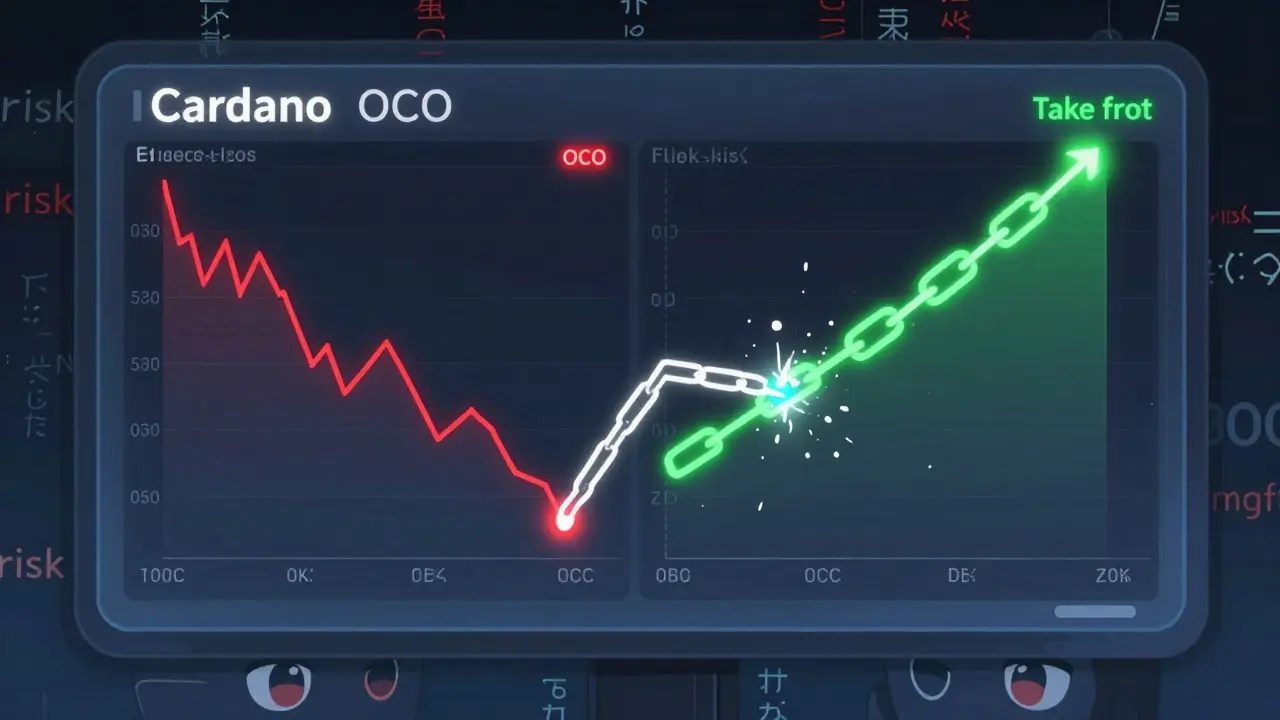
Trailing Stop Orders: Let Profits Run
Trailing stops are like smart take-profits. Instead of locking in at a fixed price, they follow the market up. You set a distance-say, 5%-and the stop price moves up as your asset rises. Say you bought Dogecoin at $0.08 and set a trailing stop at 5%. When Dogecoin hits $0.10, your stop moves up to $0.095. If it climbs to $0.12, your stop jumps to $0.114. If it suddenly drops to $0.11, your position sells at $0.114. You locked in a 42% gain without ever touching your keyboard. Trailing stops are ideal for trending markets. They’re not great for choppy coins that swing up and down daily. Too much noise, and your stop gets triggered by minor dips.Post-Only Orders: Be a Maker, Not a Taker
On crypto exchanges, you pay different fees depending on whether you’re a maker or a taker. Makers add liquidity by placing limit orders that sit in the order book. Takers remove liquidity by filling existing orders. Post-only orders force your limit order to only enter the book as a maker. If your order would immediately match and become a taker, it gets canceled instead. This saves you fees and ensures you’re not paying higher taker rates by accident. This is especially useful for high-frequency traders or market makers who rely on low fees. Retail traders rarely need it, but if you’re trading large volumes or on exchanges with tight fee spreads (like Binance or Kraken), it’s a must.Iceberg Orders: Hide Your Size
Iceberg orders let you place a large order while only showing a small portion to the market. Imagine you want to buy 100 BTC, but you don’t want to spook the market. An iceberg order shows only 5 BTC at a time. As those get filled, the next 5 BTC appear, and so on. This prevents other traders from seeing your full position and front-running you. It’s mostly used by institutional traders, but some exchanges (like Binance) let retail users set iceberg orders too. If you’re trading large amounts, it’s a stealth tool that keeps your moves quiet.
Time in Force (TIF): How Long Your Order Lasts
Not all orders last forever. TIF settings control how long your order stays active:- Good Till Canceled (GTC): Stays open until you cancel it. Risky on volatile assets-prices can swing wildly over days.
- Day Order: Expires at the end of the trading day (midnight UTC). Safe for most traders.
- Immediate or Cancel (IOC): Fills what it can right away, cancels the rest. Good for fast-moving markets.
- Fill or Kill (FOK): Must fill entirely immediately or cancel. Rarely used in crypto.
What Exchanges Support These?
Major platforms like Binance, Crypto.com, and Gemini support all the advanced order types mentioned. Some smaller exchanges only offer basic stop-loss and take-profit. Always check your exchange’s help section before relying on them. Binance.US warns that advanced orders aren’t available for margin trading. Crypto.com allows them on spot, futures, and perpetual contracts-but not margin. Gemini’s interface is clean and easy to use for beginners. If you’re new, start with stop-loss and take-profit. Then add OCO and trailing stops as you get comfortable.Common Mistakes to Avoid
- Setting stops too tight: If your stop is 2% below your entry on a coin that swings 5% daily, you’ll get stopped out by noise. Use ATR (Average True Range) to set stops based on volatility.
- Forgetting to cancel old orders: If you change your mind, delete the old order. Leaving it active can trigger a bad trade later.
- Using market stop-losses on low-volume coins: On obscure tokens, a market stop can execute at half the price you expected. Always use stop-limit.
- Not testing in demo mode: Many exchanges offer paper trading. Try setting up OCO and trailing stops on a demo account first.
Final Tips
Advanced order types aren’t about making more money-they’re about keeping your money. Crypto markets don’t sleep. Neither should your risk management. Start simple: use stop-loss and take-profit on every trade. Then layer in OCO and trailing stops. Learn how TIF affects your orders. Avoid iceberg and post-only unless you’re trading large amounts. The best traders don’t guess. They set rules. Then they let the market play out.What’s the difference between a stop-loss and a stop-limit order?
A stop-loss order triggers a market order when the price hits your stop level, which means it fills at whatever price is available-risking slippage. A stop-limit order triggers a limit order instead, so it only executes at your specified limit price or better. The downside? If the price drops past your limit without bouncing back, the order won’t fill at all.
Can I use advanced orders on decentralized exchanges (DEXs)?
Most DEXs like Uniswap or PancakeSwap don’t support advanced orders natively. They only handle simple swaps. Some newer protocols like dYdX or Perpetual Protocol offer advanced order types, but they’re limited. For now, if you want full control with stop-losses, trailing stops, or OCO orders, you’ll need to use a centralized exchange.
Do trailing stops work during market gaps?
Yes, but not always as expected. If a coin gaps down 15% overnight and your trailing stop was set at 5%, the order triggers at the next available price-which could be far below your trailing level. This is why trailing stops are best used on high-liquidity assets like Bitcoin or Ethereum, where gaps are rare.
Why won’t my OCO order trigger?
OCO orders require both conditions to be valid before placing. If one leg (like the take-profit) is set too far from the current price, or if you don’t have enough balance when the trigger hits, the whole OCO gets rejected. Always check your available balance and ensure both price levels are realistic based on recent price action.
Are advanced order types safe?
They’re safe if you understand how they work. They don’t increase risk-they reduce it. But if you set them wrong (like a stop-loss too close to the current price), you might get exited early. Always test your settings on historical data or in demo mode before using real funds.










Marc Morgan
March 19, 2026 AT 06:45 AMI swear, every time I think I've got crypto figured out, a 3am dump reminds me I'm just a monkey with a trading app. Trailing stops saved my ass last month when ETH went from $3.2k to $3.8k then dropped 12% in 20 minutes. Set it and forget it, man.
Jesse Pals
March 20, 2026 AT 13:22 PMOCO orders are game changers 😎 I use them on every alt I trade. No more stress watching charts. Set the stop and take-profit, then go make tacos. Life's too short to stare at green and red bars all day.
Ann Liu
March 22, 2026 AT 11:36 AMStop-limit orders are non-negotiable on low-liquidity tokens. I lost 18% on a market stop-loss during a Solana flash crash last year. Never again. Always use stop-limit on anything under $100M market cap. Slippage isn't a feature, it's a bug.
iam jacob
March 23, 2026 AT 02:50 AMWhy do people even use market orders? It's like driving blindfolded and hoping you don't hit a tree. I used to be one of those idiots. Then I lost $2k on a single bad BTC trade. Now I don't even open my trading app without a stop-loss already set.
Kira Dreamland
March 24, 2026 AT 16:30 PMI started with just limit orders and kept missing exits. Now I use trailing stops on everything. My portfolio went from 'meh' to 'actually growing' after I stopped trying to time the top. Let the market decide when it's time to sell. I just set the rules and walk away.
Ross McLeod
March 25, 2026 AT 07:08 AMThe problem with advanced order types is that most retail traders don't understand the mechanics behind them. A trailing stop isn't magic-it's just a dynamic stop-loss that adjusts based on a fixed percentage or dollar amount. If you don't know how your exchange handles order execution during high volatility, you're gambling. I've seen too many people blame the platform when their order didn't fill because they set a 1% trailing stop on a coin that gapped 7% overnight. It's not the exchange's fault-it's user error.
Diane Overwise
March 25, 2026 AT 19:24 PMI love how people treat OCO like some kind of crypto oracle. It’s just two orders tied together. If your take-profit is 50% above entry on a meme coin? Congrats, you’re not trading-you’re praying. I’ve seen traders set OCOs with 100% profit targets and 1% stops… then wonder why they got stopped out on a 3% dip. It’s not the tool. It’s the user.
Bruce Doucette
March 27, 2026 AT 00:58 AMPost-only orders? Lol. You think you're being clever saving 0.04% in fees? Meanwhile, your order sits for 3 days and you miss the entire rally. Taker fees are the cost of doing business. Don't be a penny-pincher with your capital. I've lost more to hesitation than to fees.
Sarah Hammon
March 28, 2026 AT 22:25 PMOne thing no one talks about is time in force. I used GTC for months until I realized my old limit order from last year was still active. Got filled at $1.20 on a coin that's now at $0.30. Had to manually cancel 7 orders. Day orders are safer. Set it, forget it, and let it die at midnight.
Tobias Wriedt
March 29, 2026 AT 00:17 AMIf you're using advanced orders on a DEX, you're either a genius or delusional. Most DeFi protocols can't even handle a simple limit order, let alone a trailing stop. Stick to centralized exchanges if you want your money to actually survive. No one on Uniswap is gonna save you from your own bad trades.
Anastasia Thyroff
March 30, 2026 AT 09:10 AMI used to think trailing stops were for weak traders who couldn't handle volatility. Then I watched my friend get wiped out on a 200% pump that crashed 80% in 4 hours. He didn't have a stop. Now I use them on everything. Even if I'm wrong, I'm wrong with less money.
sai nikhil
March 30, 2026 AT 19:36 PMStop-losses are not about avoiding losses. They're about preserving your ability to trade tomorrow. If you lose 50% of your capital, you need to make 100% just to break even. That's math, not emotion. Advanced orders don't make you rich-they keep you in the game.
rajan gupta
March 31, 2026 AT 22:34 PMLife is a candle, and crypto is the wind 🕯️💨. You can't control the gusts, but you can build your shelter. Advanced orders? They're not tools. They're prayers written in code. I set my trailing stop like a mantra: 'Let the market breathe. Let me sleep.' And sometimes... the market answers.
Brenda White
April 2, 2026 AT 20:23 PMI tried iceberg orders once. Thought I was being slick buying 50 BTC without moving the market. Ended up getting front-run by a whale who had a better algorithm. Now I just buy smaller chunks over time. Don't be the guy trying to outsmart the bots.
Marie Vernon
April 3, 2026 AT 09:41 AMIf you're new to crypto, start with stop-loss and take-profit. That's it. No need to overcomplicate. I've seen beginners try to use OCO, trailing stops, and iceberg orders on their first week. They get confused, panic, and end up selling low. Master the basics before you try to be a wizard.
Derek Lynch
April 5, 2026 AT 06:15 AMYou're not a trader until you've been stopped out by your own stop-loss. That moment when you realize you set it too tight? That's the rite of passage. Now I use ATR to set stops. No more guessing. No more emotions. Just math. And guess what? My win rate went from 38% to 67%. Stop letting fear drive your trades. Let your rules do it.