

The Best Ways to Discover Reliable dApps
Finding a quality app in the decentralized world requires a bit more detective work than usual. Because there is no central authority to "vet" apps, you have to rely on directories and community data. DappRadar is currently the gold standard for discovery, tracking thousands of active applications across various networks like Ethereum and BNB Chain. It allows you to filter by category-such as DeFi, Gaming, or NFTs-and see real-time data on how many unique active wallets are actually using the app. If an app claims to be huge but has very few active wallets on DappRadar, that's a red flag. Another strong resource is State of the DApps, which provides a categorized catalog of projects. For those who prefer ecosystem-specific searches, you can look at the Solana Dapp Store or Polygon's Agora. When you find an app that looks interesting, don't just click "Connect." Check for these four markers of legitimacy:- Open Source Code: Is the code available on GitHub for anyone to audit?
- Public Storage: Does it actually store data on a blockchain, or is it just a "centralized app with a crypto skin"?
- Token Requirements: Does it require a specific token to function?
- Consensus: How are decisions made within the app?
Setting Up Your Web3 Toolkit
Before you can interact with a dApp, you need a gateway. In the traditional world, your browser and a password are your gateway. In Web3, your gateway is a Cryptocurrency Wallet, which is a digital tool that allows you to interact with the blockchain, manage your private keys, and sign transactions. Most people start with MetaMask, a browser extension that acts as a bridge between your web browser and the Ethereum network. Others prefer standalone mobile wallets like Trust Wallet for better portability. To make a dApp actually work, you need three things ready to go:- A Compatible Browser: Use updated versions of Chrome, Firefox, or Brave.
- Native Tokens: You can't move anything on a blockchain for free. You'll need a small amount of the network's native coin (like ETH for Ethereum or MATIC for Polygon) to pay for "gas fees."
- A Seed Phrase: When you set up your wallet, you'll get a 12-24 word phrase. If you lose this, you lose your funds. Never share it with anyone-no legitimate dApp will ever ask for it.

Step-by-Step: How to Use Your First dApp
Once your wallet is funded and your browser is ready, the process of using a dApp follows a specific rhythm. Let's use a DeFi app like Uniswap as an example.Step 1: Connecting the Wallet. Navigate to the dApp's website and click "Connect Wallet." A pop-up from MetaMask or your chosen wallet will appear. You aren't "logging in" in the traditional sense; you are giving the dApp permission to see your public wallet address.
Step 2: Initiating an Action. Whether you are swapping tokens, minting an NFT, or staking assets, you'll enter your details into the dApp interface. At this stage, nothing has happened on the blockchain yet; you've only filled out a form.
Step 3: Approving the Transaction. This is where most beginners get confused. Your wallet will trigger a request to "Approve" the transaction. This is a security check. You'll see a "Gas Fee"-the cost paid to the network miners/validators to process your request.
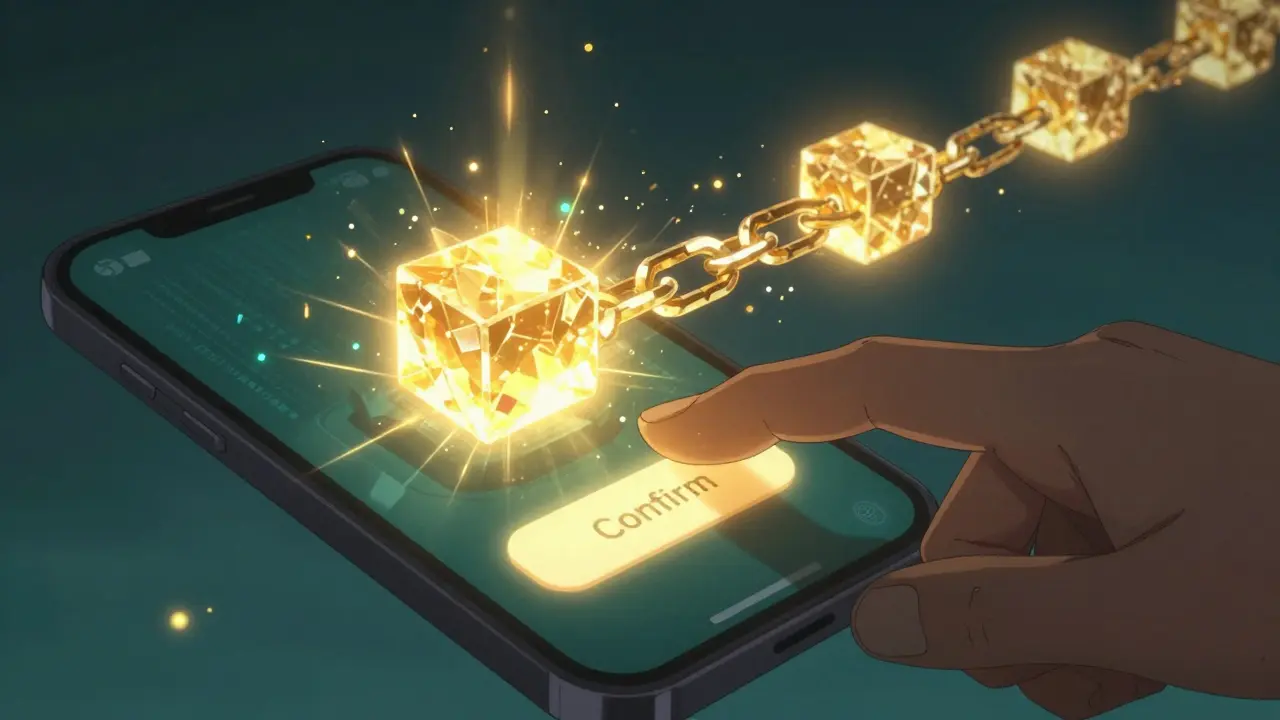
Step 4: Signing the Transaction. Once you click "Confirm," you are digitally signing a piece of data with your private key. This tells the blockchain: "I authorize this specific move of funds."
Step 5: Monitoring the Block. After signing, the transaction doesn't happen instantly. It must be included in a block. You can track this in real-time using a blockchain explorer like Etherscan, which provides a public ledger of every single transaction on the network.
Comparing dApps to Traditional Apps
If you're wondering why you'd bother with a dApp when a normal app is faster, it comes down to a trade-off between convenience and control. Centralized apps are built for speed; dApps are built for trustlessness.| Feature | Traditional Apps (Web2) | Decentralized Apps (Web3) |
|---|---|---|
| Onboarding | Fast (Email/Password) | Slower (Wallet Setup) |
| Control | Company-owned | User-owned |
| Uptime | High (but depends on server) | Extremely High (Distributed) |
| Speed | Instantaneous | Seconds to Minutes |
| Transparency | Closed-source/Private | Publicly Verifiable |
Common Pitfalls and How to Avoid Them
Using dApps isn't without its frustrations. The most common issue is the "Failed Transaction." This usually happens for two reasons: insufficient gas or slippage.Gas Fee Miscalculations: If the network gets busy, the cost to process a transaction spikes. If you set your gas limit too low, the transaction will hang or fail, and you'll still lose the gas fee. Pro tip: use a real-time fee estimator like GasNow to see when the network is cheapest (usually late nights or weekends UTC).
Slippage Errors: In DeFi, prices change every second. "Slippage" is the difference between the expected price of a trade and the price at which the trade actually executes. If you set your slippage too low (e.g., 0.1%) on a volatile asset, the transaction will fail because the price moved too much before your transaction was confirmed. For stablecoins, 0.5% is usually fine; for volatile tokens, try 1-3%.
Network Mismatches: Many dApps run on "Layer 2" networks like Polygon or Arbitrum to save on fees. If your wallet is set to "Ethereum Mainnet" but the dApp is on "Polygon," the connection will fail. Always double-check the network dropdown in your wallet before clicking connect.
The Future of dApp Usability
We are currently in a phase where the technology is ahead of the user experience. Most people find the 5-6 step onboarding process too daunting. However, things are changing. New updates like WalletConnect v3.0 are stripping away unnecessary connection steps. Even more promising is the move toward "Account Abstraction." This is a technical shift that will eventually allow you to use a dApp with a social login (like Google or Apple) while still maintaining a decentralized backend. It also allows apps to "sponsor" your gas fees, meaning you won't have to buy ETH just to send a simple transaction. As these frictions disappear, dApps will likely stop being a niche tool for crypto-enthusiasts and start becoming the standard for any service where ownership and privacy are more important than a millisecond of speed.Do I need to pay money to use a dApp?
Generally, yes. While the app itself might be free to access, every action that changes data on the blockchain (like sending a token or voting in a DAO) requires a "gas fee." This fee is paid to the network's validators. The cost varies depending on how busy the network is.
Is it safe to connect my wallet to any dApp?
No. Connecting your wallet is usually safe, but some dApps may ask you to "approve" a transaction that gives them permission to spend your tokens. Never approve a transaction from a site you don't trust, and be wary of dApps that ask for your seed phrase-they are always scams.
What happens if I lose my wallet's seed phrase?
Because dApps are decentralized, there is no "Forgot Password" button. If you lose your seed phrase, you lose access to your funds and your identity within those apps. There is no central company that can recover it for you.
Why are dApps slower than regular apps?
Traditional apps use a single central server that just says "Yes, this happened." dApps require a distributed network of thousands of computers to agree (consensus) that a transaction is valid before it is written into a block. This process takes time but ensures that no single person can fake a transaction.
Which blockchain is the best for finding dApps?
Ethereum remains the largest ecosystem with the most variety, especially for finance and art. However, networks like BNB Chain and Polygon are often preferred by beginners because their transaction fees are significantly lower than Ethereum's.






Sandeep Bhoir
April 17, 2026 AT 12:54 PMOh great, another guide telling us to trust DappRadar. Because clearly, a third-party aggregator is the peak of decentralization. Just lovely.
Abhinav Chaubey
April 19, 2026 AT 12:11 PMThe technical accuracy here is acceptable, but it completely ignores the massive potential for India to lead the Web3 revolution. We have the best developers in the world, and while the West is still debating "convenience," we are building the infrastructure. If you actually understood the geopolitical implications of blockchain, you'd realize that dApps aren't just about avoiding a Silicon Valley CEO; they're about national digital sovereignty. It is high time we stop relying on foreign directories and build our own homegrown discovery protocols. The sheer intellectual capacity of our youth will render these basic guides obsolete within a few years. Honestly, it's almost insulting that we have to keep explaining the basics to the global community when we are the ones actually driving the innovation forward.
Nishant Goyal
April 20, 2026 AT 21:15 PMNice breakdown. Really helps new people get started without feeling overwhelmed.
Ian Chait
April 21, 2026 AT 15:21 PMImagine thinkin a browser extension is safe lol. Metamask is just a honey pot for the globalists to track ur wallet activity. Total surveillance state move. You need to use cold storage or ur just waitin to get drained by a smart contract exploit. The whole 'ecosystem' is rigged by the whales to dump on retail. Wake up people, the 'bridge' is just a way for them to steal ur liquidity through a rugpull. Only a fool trusts a 'directory' curated by people who probably work for the central banks they claim to hate.
Keri Pommerenk
April 22, 2026 AT 10:13 AMthanks for sharing this! i think the section on slippage is super helpful for beginners who get frustrated when their trades fail
Alex Long
April 23, 2026 AT 09:29 AMtoo long didn't read. basically just use a wallet and hope you don't get scammed. boring.
Evan Iacoboni
April 25, 2026 AT 06:00 AMThe part about Account Abstraction is the only thing that actually matters here. Until we move away from seed phrases, this tech is basically a toy for nerds. When can we actually expect social logins to be standard across the major chains?
Sean Douglas
April 26, 2026 AT 04:26 AMMy soul is literally weeping at the thought of losing a seed phrase. Imagine the sheer, unadulterated agony of knowing your life savings are floating in a digital void because you misplaced a piece of paper. It's a gothic tragedy for the modern age! The brutality of a system with no "Forgot Password" button is absolutely Shakespearean in its cruelty. I can barely breathe just thinking about the existential dread of a failed transaction during a market crash. It's a rollercoaster of emotional devastation!
Andrew Southgate
April 26, 2026 AT 20:59 PMI've spent quite a bit of time helping newcomers navigate these waters, and I must say that the emphasis on the seed phrase is absolutely critical. Many people treat it like a password they can just store in a digital note, but that's a recipe for disaster. If you're just starting, I highly recommend looking into hardware wallets like Ledger or Trezor because they add a physical layer of security that software wallets simply cannot provide. While the gas fees on Ethereum can be a real deterrent, moving to Layer 2 solutions like Arbitrum or Optimism has really lowered the barrier to entry for people who just want to experiment with a few dollars without spending twenty bucks on a single swap. It's a learning curve, for sure, but the autonomy you gain is worth every single headache you encounter in the beginning.
Mark Pfeifer
April 27, 2026 AT 22:43 PMI appreciate the caution regarding seed phrases. It's vital that users understand the responsibility that comes with self-custody.
siddharth narula
April 28, 2026 AT 21:57 PMOne must ponder the ethical implications of a world without a central authority. Is true freedom found in the absence of a CEO, or are we merely trading one form of digital servitude for another dictated by code? ॐ. The pursuit of decentralization should be a spiritual journey toward transparency, not merely a financial gamble. ⚖️
Gaurav Undirwade
April 30, 2026 AT 16:24 PMIt is profoundly disappointing that the masses seek
Vicky Duffala
May 1, 2026 AT 23:22 PMThis is such a vibe! Web3 is basically the new frontier and I'm here for it 🚀 Just think about the creative possibilities when we actually own our data! It's like a digital renaissance but with more memes and fewer oil paintings haha ✨
Robert Preston
May 3, 2026 AT 09:49 AMIf you are struggling with the "Failed Transaction" errors mentioned, check your gas limit specifically. Sometimes the default setting in MetaMask is too low for complex smart contract interactions, especially during high congestion periods on the Mainnet.
Adam Mann
May 5, 2026 AT 08:38 AMI love how this guide makes everything feel accessible! It's so important to welcome people into the space with clear steps because the jargon can be really scary at first. I remember when I first tried to use a DEX and I was terrified I'd send my funds into a black hole, but once you realize that you're just interacting with a public ledger, it all starts to click. Just take it slow, use small amounts of money while you're learning, and don't be afraid to ask the community for help because most of us have made the same mistakes and are happy to guide you through the process!